
ROGUE-FP Free Download
ROGUE-FP is a first-person roguelike game that combines fast-paced combat with procedural dungeon crawling. Players explore ever-changing environments, collect powerful items, and face challenging enemies in a quest for survival. Its blend of action and permadeath mechanics offers a fresh challenge with each run.

ROGUE-FP is a blend of old school classic roguelike gameplay with new school first person controls and perspective. There is no movement grid and no rigid turn system to slow you down.
Synopsis
The Fighters guild has a high bar for entry. They want you to delve deep into the Dungeons of Doom and return to the surface with the Amulet of Yendor! A perilous quest few have completed, for within the dungeon are terrible monsters, devious traps, and mystifying magical items.
To survive you’ll have to identify the dungeon’s items, navigate it’s procedurally generated dark labyrinths, and fight your way past it’s monsters. With enough skill and a decent amount of luck they say it can be done. Give it your best shot!
Features
Just like in the roguelike days of yore, there are
- Procedurally generated levels!
- Perma-death!
- More than an alphabet’s worth of monsters!
- Many magic items with different effects including rings, weapons, potions, scrolls, and wands!
- Yummy slime molds to eat!
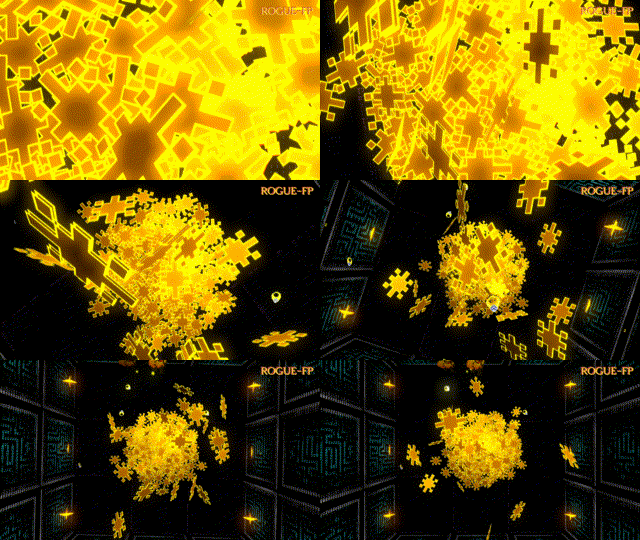
But in ROGUE-FP there’s also
- Hacked off bits of monsters to stick onto your armor
- Your personal gold pile that grows larger with every run
- ASCII art sprites
- First person controls
- A innovative smooth turn system
- No grid to restrict your movement
- Dungeonsynth soundtrack
- Difficulty level for every level of skill, including one that removes item identification
- System: : Windows 10
- Processor: : Dual core CPU 2.4 GHz
- Memory: : 4 GB RAM
- Graphics: : Radeon HD 8330
- DirectX: : Version 11
- Storage: : 500 MB available space
- System: : Windows 10 64-bit
- Processor: : Quad core CPU 3.0 GHz
- Memory: : 6 GB RAM
- Graphics: : GeForce GTX 1050
- DirectX: : Version 12
- Storage: : 500 MB available space
- Download the game files and wait for the process to complete.
- Locate the installer and run it.
- Follow the on-screen instructions to install the game.
- Once the installation is complete, launch the game from the shortcut or installation folder.
- That’s it! You’re ready to play. Enjoy the game!
Reminder:
This download is completely free and won’t cost you anything. If you enjoy the game, please consider purchasing it here to support the developers.
Before getting started, please make sure you have a compatible download client installed. If needed, you can download one for free here.


Ask setup questions, share fixes, or help other players with useful context.
Start the discussion with a useful question, fix, or gameplay tip.